Unihfy Games

Block Stacker

Block Stacker

Block StackerTetrisPuzzleClassicLine ClearingCasualRetro

Games > Block Stacker

Play Block Stacker • Free

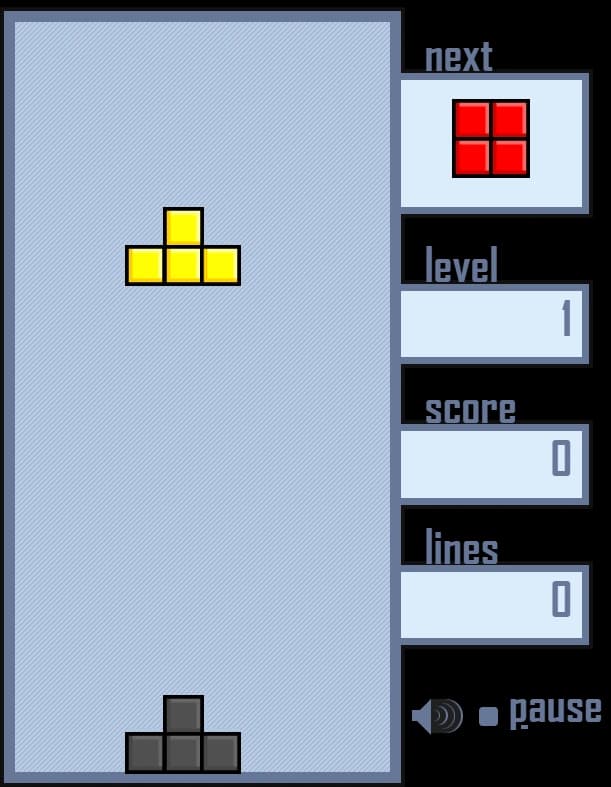
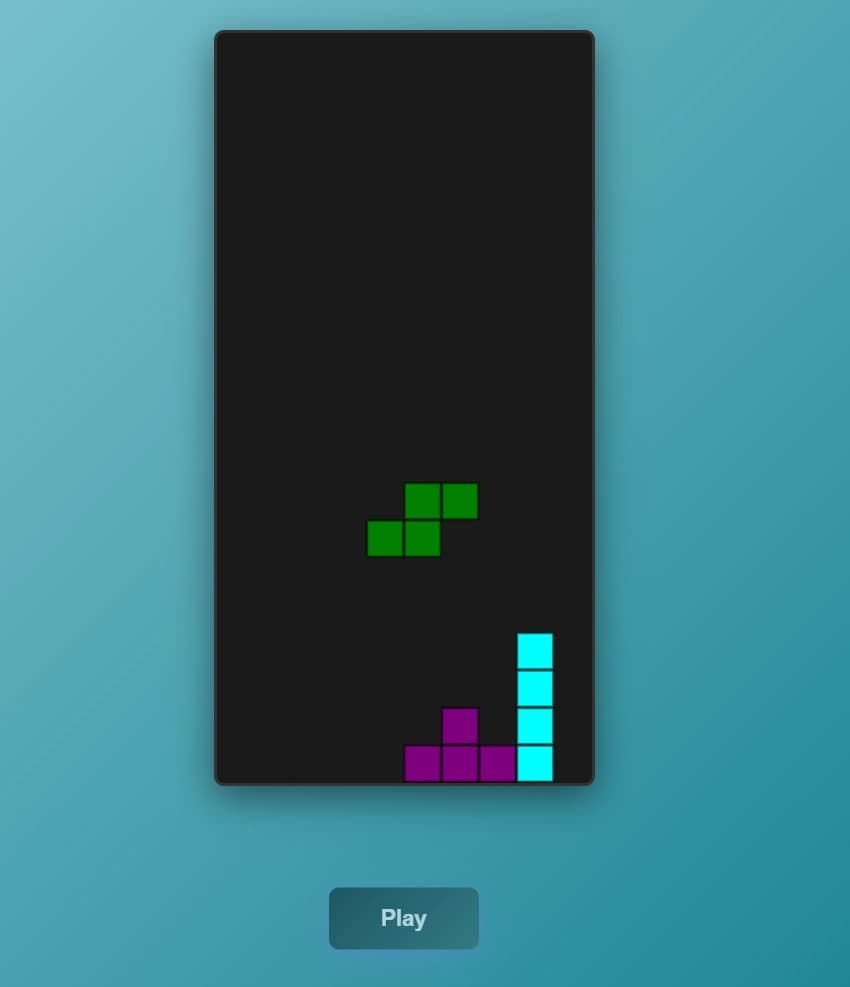
Tetris stripped back to the part that matters. Seven shapes, a 10x20 well, and no score, no preview and no speed increase to distract from it. You lose when the stack reaches the top, and nothing else can end the run.

Genre: Puzzle

Difficulty: Easy

About Block Stacker

You cannot see what is coming next

There is no preview box here, and that single omission changes how the game has to be played. In most versions of this puzzle you can see the next piece, which is what makes long-term planning possible - you leave a narrow well open on the right because you know the straight piece is arriving, and you commit to it safely.

Without that information, keeping a well open is a bet rather than a plan. You are holding a column empty on the hope that the one shape which fits it turns up before the rest of your stack becomes unmanageable, and roughly six times out of seven the next piece is not that shape.

In practice it pushes you toward a flatter, more conservative style. Rather than building for a four-line clear you cannot schedule, the reliable approach is keeping the surface as level as you can and taking single rows whenever they are available. It is less dramatic and it lasts considerably longer.

It never gets faster

The pieces fall at one speed from the first to the last, and there are no levels. Nothing accelerates, nothing changes, and the game will not eventually outpace you the way the arcade original was designed to.

That removes the usual reason people lose. In a version with rising speed, a run ends because your hands stop keeping up with a board you understand perfectly well. Here there is always enough time to think, so a loss is always a stacking mistake - a hole you covered over, a column you let run high, a rotation you took in the wrong place. Every failure is one you can point at.

It also means the difficulty is entirely front-loaded onto judgement rather than reflexes, which makes this a genuinely good version for someone learning the game. Nobody gets rushed out of it before they have understood what they are doing wrong.

Nothing is counting

There is no score on screen, no line counter and no level indicator. The board is the entire interface. Clear a row and it simply vanishes, with no number ticking up and no reward beyond the space it gives you back.

Whether that is a loss depends on what you want from the game. There is no personal best to chase and no way to compare two runs except by how the board looked when you lost, so it does not work as a score attack at all. What it does instead is remove the pull toward risky play - with no bonus for clearing four rows at once, there is no reason to take the gamble that a bonus would normally justify.

The result is quieter and more patient than most versions. You are playing to keep going rather than to post a number, which suits a game you dip into rather than train at.

The two ways down, and no help landing

You get both drop controls. Holding Down accelerates the current piece while keeping you able to steer, which is the one to use when you are nearly in position but not quite. Space sends the piece straight to the bottom immediately and ends your control over it, so it is only worth using once you are certain the column is right.

There is no ghost piece - no outline showing where the current shape will land. On the middle columns that is rarely a problem, but against an uneven surface it is genuinely easy to misjudge which of two adjacent columns a shape will settle into, and that is where the accidental holes come from. If you are unsure, hold Down rather than pressing Space, and you keep the option to correct.

The game is also completely silent. Nothing marks a line clear or a game over, which makes it one of the few things here you can play at a desk without reaching for the volume.

Reviewed By
Omik Babariya

Developer · Quiz Editor

Omik Babariya is a full-stack developer and quiz editor at Unihfy Games. He writes most of the quiz questions, works on the sports and entertainment articles, and has built and tested a number of the games on the site.

View Profile
Game Created By

Dionysis Zindros

Block Stacker was originally created by Dionysis Zindros and is published here under its original licence terms. We host and maintain this version, with our own improvements for gameplay, browser compatibility, and mobile devices, while preserving the required attribution.

Originally released as 'canvas-tetris'. We redesigned the gameplay, UI, controls, mobile support, and renamed it to 'Block Stacker'.

How to Play

  • Click the Play button to start a new game.
  • Pieces fall one at a time into a well ten columns wide and twenty rows deep.
  • Move them left and right with the arrow keys, or the on-screen buttons on a phone.
  • Rotate with the Up arrow to fit a shape into the space you have left.
  • Hold Down to bring a piece in faster, or press Space to send it straight to the bottom.
  • Fill all ten cells in a row and the row clears, dropping everything above it.
  • The game ends when the stack reaches the top and a new piece has nowhere to spawn.
  • Click Play to start again.

Gameplay Preview

Features

Seven distinct shapes in a well ten columns wide and twenty rows deep
No next-piece preview, so a run cannot be planned more than one shape ahead
A constant fall speed with no levels, meaning the game never outpaces you
Rows that clear the moment all ten cells are filled, dropping everything above
A soft drop on the Down arrow that keeps you steering as the piece falls
A hard drop on Space that commits the piece instantly
No score, line count or level readout - the board is the whole interface
No ghost outline, so landing position is judged by eye
On-screen buttons on phones for movement and rotation
Completely silent, with no music or effects

FAQs

What are the 7 different pieces in Block Stacker?

The seven block shapes are the I-piece (cyan line), O-piece (yellow square), T-piece (purple T-shape), L-piece (orange L-shape), J-piece (blue reverse L), S-piece (green zigzag), and Z-piece (red zigzag). Each falls randomly during gameplay.

Can I see which piece is coming next?

No, there is no preview. You only ever know the shape you are currently placing, which means holding a column open for the straight piece is a gamble rather than a plan. Keeping the surface flat and taking single rows is the steadier approach here.

Does the game speed up the longer I last?

It does not. There are no levels and the fall speed is the same on your first piece as your five hundredth, so you will never be rushed out of a run. Every loss comes down to how you stacked rather than how fast you could react.

Is there a score?

Nothing is displayed - no score, no line count, no level. Clearing a row gives you back the space and nothing else, so there is no bonus for clearing several at once and no reason to take the risk that a bonus would normally justify.

Is there an outline showing where my piece will land?

No ghost piece is drawn, so you judge the landing column by eye. Over a flat surface that is easy enough, but against an uneven stack it is worth holding the Down arrow rather than pressing Space, since a soft drop leaves you able to correct.

What is the difference between Down and Spacebar?

Down accelerates the piece while you keep control of it, so you can still move and rotate on the way. Space drops it to the bottom immediately and the placement is final. Use Down when you are still deciding and Space once you are sure.

Does it have sound?

None at all - no music, no effect on a line clear, nothing at game over. It plays perfectly well with the volume up or down, which makes it a reasonable one to have open somewhere quiet.
Can I play it on a phone?

Yes. On-screen buttons appear for moving and rotating the falling piece, so a keyboard is not required.

What happens when I reach the top?

When a new piece spawns and can't fit because pieces are already stacked to the top of the board, the game ends. Click the Play button to start a fresh game.

Ready for a New Challenge?

Take on exciting quizzes, improve your general knowledge, earn XP, collect rewards, maintain your daily streak, and compete with players on the Quiz Arena leaderboard.

Go to Quiz Arena